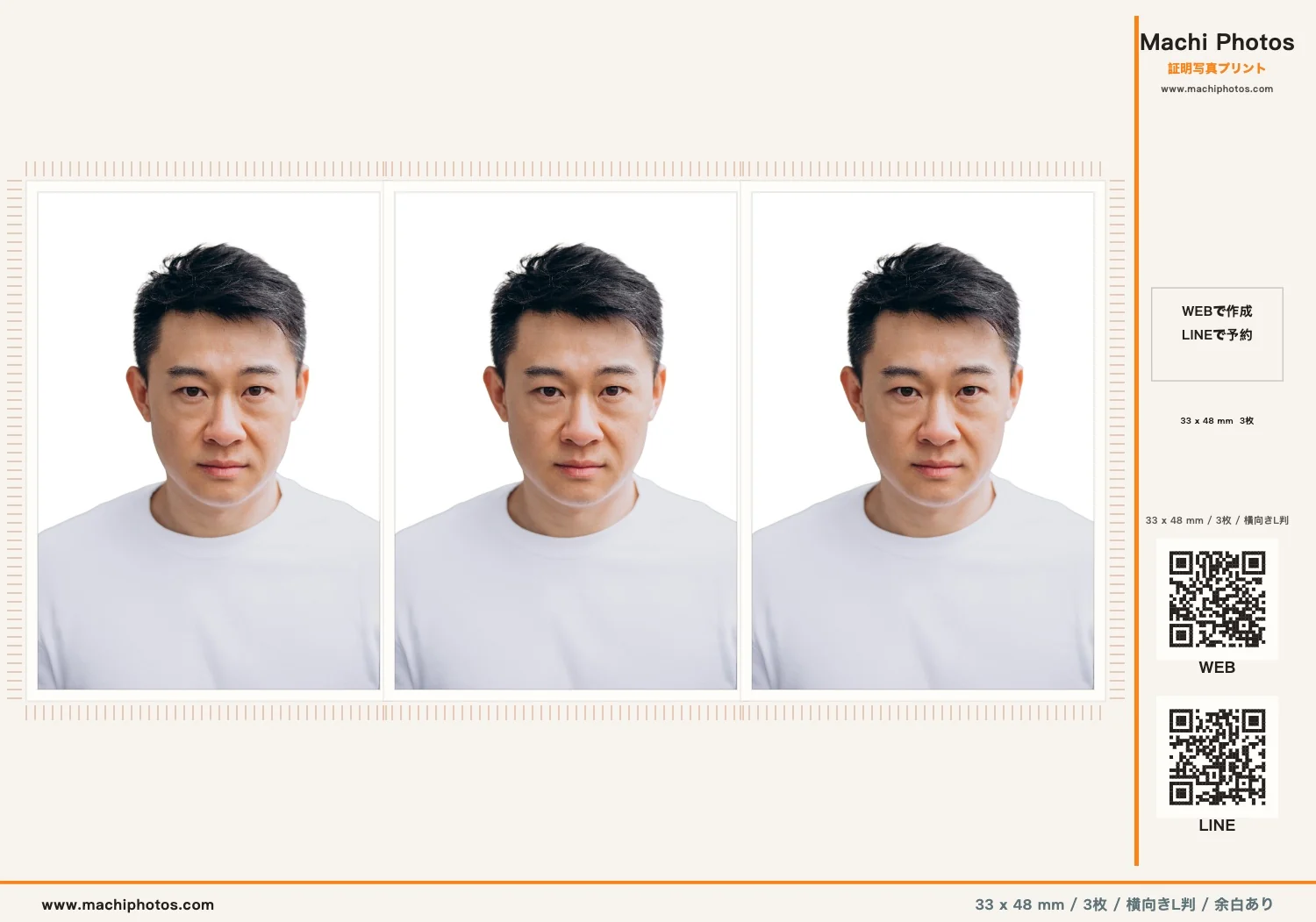
China visa photos commonly use the 33×48mm size. In Machi Photos, choose the China passport / China visa application preset, adjust the face position and white background, then export an L-size sheet for printing. Creating the photo, changing the background, retouching, exporting the sheet, and issuing a reservation QR code are free.
1. Choose the China visa size
Open the visa and overseas application category, then select China Passport. Machi Photos applies the 33×48mm size and prepares a layout with up to 3 photos on one L-size print.

You do not need to calculate millimeters or arrange the print sheet manually. The crop guide and L-size layout update automatically from the selected preset.
2. Adjust the face and white background
After uploading a photo, use the 33mm and 48mm guides to align the headroom, face center, and shoulders. A clean white or light background is usually the safest choice for China visa applications.

Keep the face straight, avoid cutting off the head, chin, or shoulders, and make sure the background has no shadows, objects, or strong patterns.
3. Export the L-size sheet
When the photo looks correct, Machi Photos creates an L-size sheet for convenience-store photo printing. The China visa size is exported as 33×48mm / 3 photos, ready to cut along the guide marks after printing.
4. Issue a print reservation code
For supported convenience stores, issue a reservation number or QR code. At the store, open the photo print flow on the multifunction copier, enter the number or scan the QR code, confirm the L-size print and price, then print.

The print fee is charged by the convenience-store copier, not by Machi Photos. Please confirm the price and number of prints on the machine before printing.
Need a 33×48mm China visa photo?
Create a China visa photo